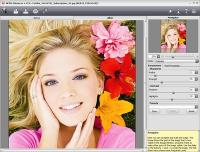
Enhancer is image enhancement software that improves detail on an image. The program detects detail in underexposed, overexposed and mid tone areas of a photo with uneven exposure. It brings into focus blurred images. It supports HDRI technology.
AKVIS Enhancer is image enhancement software that improves detail on an image, no matter what was the cause of the unsharpness. The program detects detail in underexposed, overexposed and mid tone areas of a photo with uneven exposure. It brings into focus blurred images. The program supports HDRI technology.
AKVIS Enhancer is available in two versions: as an independent program (standalone) and as a plugin to a photo editor.
AKVIS Enhancer works in four modes:
* In Enhancer mode the program brings out details on one single shot by intensifying color transition. It means that Enhancer strengthens the difference between adjacent pixels having different color gradations and therefore allows revealing not only details in the shadow but even details in the overexposed and mid tone areas.
* In Focus mode the program improves sharpness of blurred images. It happens when the camera fails to focus on the subject and it comes out unsharp. This mode can save such out-of-focus images. You can refocus the whole image or bring only certain a element of the image into focus.
* In Smart Correction mode the program makes color correction of a photo. The mode is used for tone correction of images, changes in the light and dark areas, which improve the overall appearance of the image. Changes can be made to the entire image or to a part of the image having the selected color to be corrected.
* In HDR mode (only in Standalone version) the program combines a series of images to get one HDR picture. This technology expands the dynamic range of an image and shows details in both shadows and highlights. Whats new in version 15.6.2243.14841-o: Bugs have been fixed, and the plug-in version now have 64 bit support (is compatible with Photoshop CS4-CS5 64-bit) on Windows and Macintosh. Requirements: RAM 512; display 1024x768 Operating system: Windows XP / XP 64 bit / Vista / Vista 64 bit / 7 / 7 64 bit / 8 / 8 64 bit / 10 / 10 64 bit Limitations: 10 days trial Release notes: Major Update
MagicBD is a graphic software which can be used to draw many kinds of iconographies, illustrations and sketch maps.It can also be used to edit images to process them or get some special effects.
Price: $28, Rating: 10, Downloads: 234 Download
Pos Free Photo Editor is a free photo editor from the authors of the best free professional photo editor - Photo Pos Pro free photo editor. The software is simple and very user friendly photo editor, that lets you easily view, and enhance your photos
Price: $0.00, Rating: 10, Downloads: 190 Download
Design over 10 photos by few mouse clicks. Easily create photo book, collage, calendar, greeting cards, wedding photos and more artworks.
Price: $39.95, Rating: 0, Downloads: 171 Download
Image Frame is a Photoshop-compatible plug-in for easy creation naturally-look 3D frame. Add frame and text to your photos. You can apply rectangular and elliptical frame, change frame profile, material, and lightening.
Price: $14.95, Rating: 10, Downloads: 160 Download
User Rating
Rating:2.2 out of
5 Based on13 ratings.
13 user reviews.

 AKVIS Enhancer 15.6.2243.14841-o details